

Xiaomi Fans!
We are very happy to announce that recently we have incorporated the ROM download portal in our new community. We are sure, this would make the ROM downloading experience much more smoother and hassle-free for our users worldwide. We have listed all the devices launched globally in different countries and put their ROMs under the download tab for you! So, from now on, you do not have to look here and there for your required ROM. Just head on to the download section from PC, Mobile or Community APP and you would get there all you need.
You can find the Xiaomi HyperOS and MIUI recovery ROMs and fastboot ROMs for your device, arranged in accordance to their OS version. Today, in this thread we will try to provide our users with all the necessary information related to this download section. If you are new to the world of flashing, do not worry. We have a detailed guide for that too. Let us get started.
Download Official ROM
You can download ROMs either from Desktop site, or the Mobile site or from the Xiaomi Community APP.
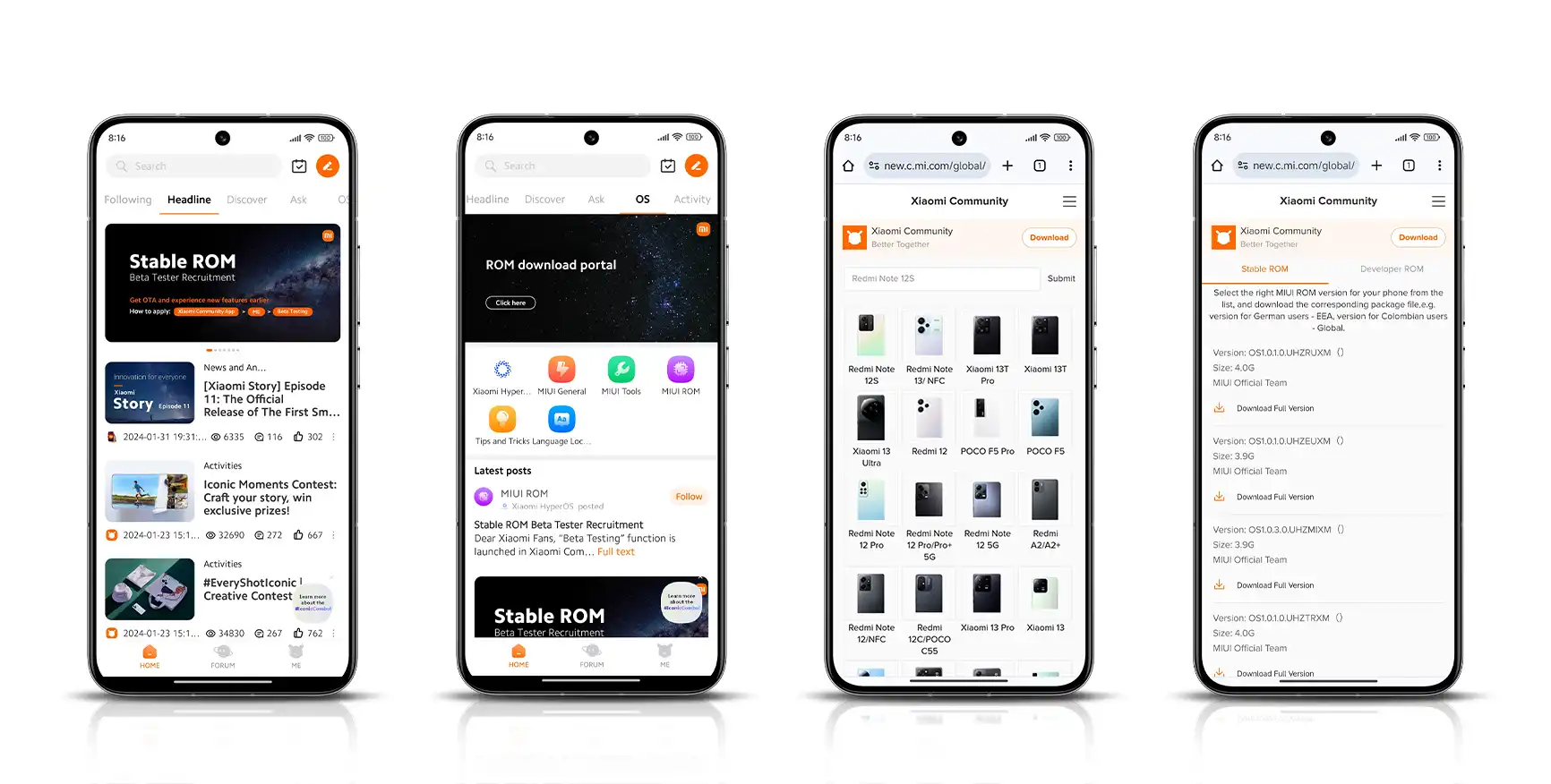
From APP
- On the HOME, click on the OS tab.
- Click on the top banner (ROM download portal image) to enter the download section.
- Select your device and download the ROM you need.
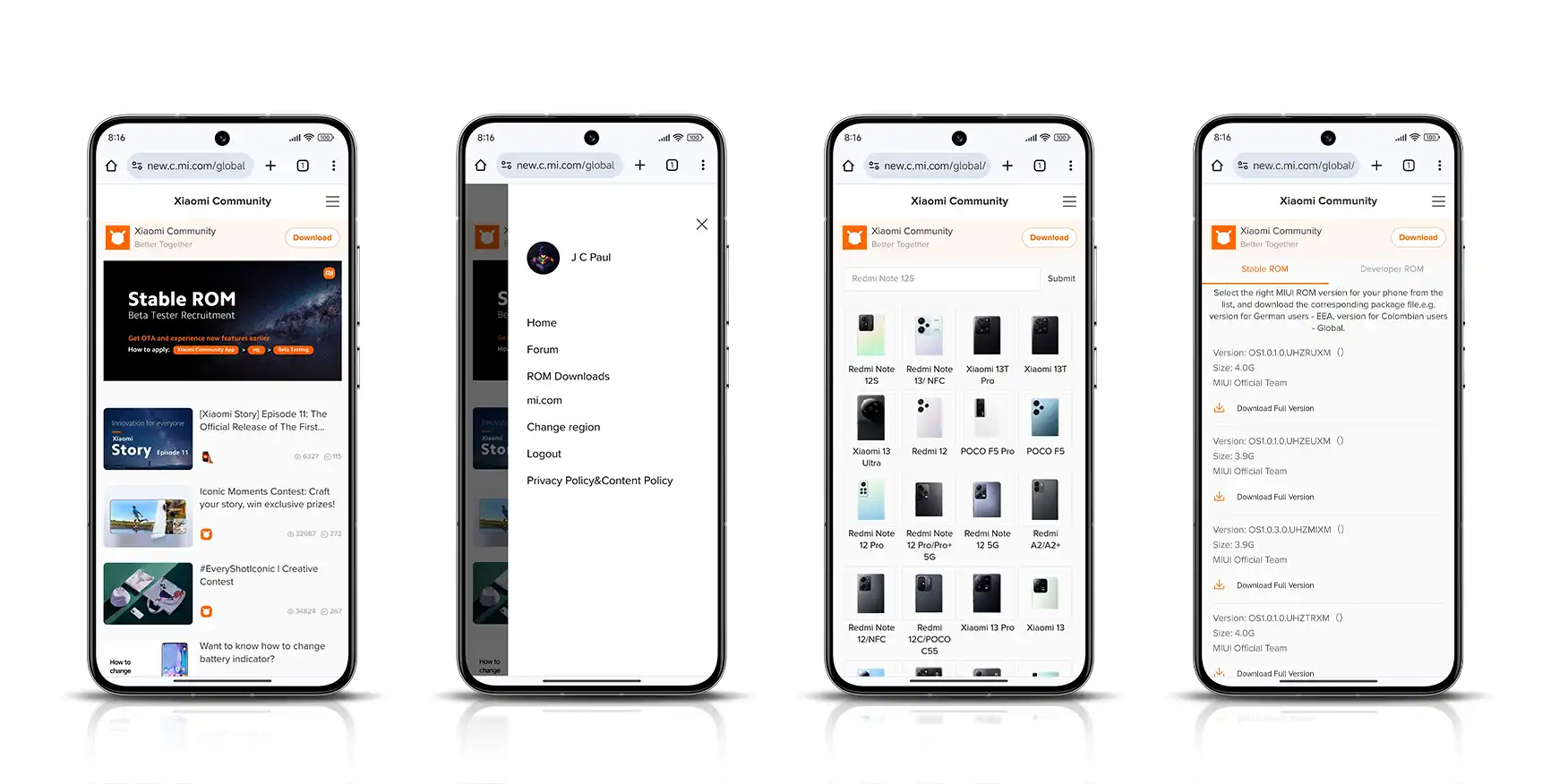
From Mobile site
- Go to new.c.mi.com/global.
- Click on the hamburger menu (three bars) in the top right corner.
- Choose ROM Downloads.
- Select your device and download the ROM you need.
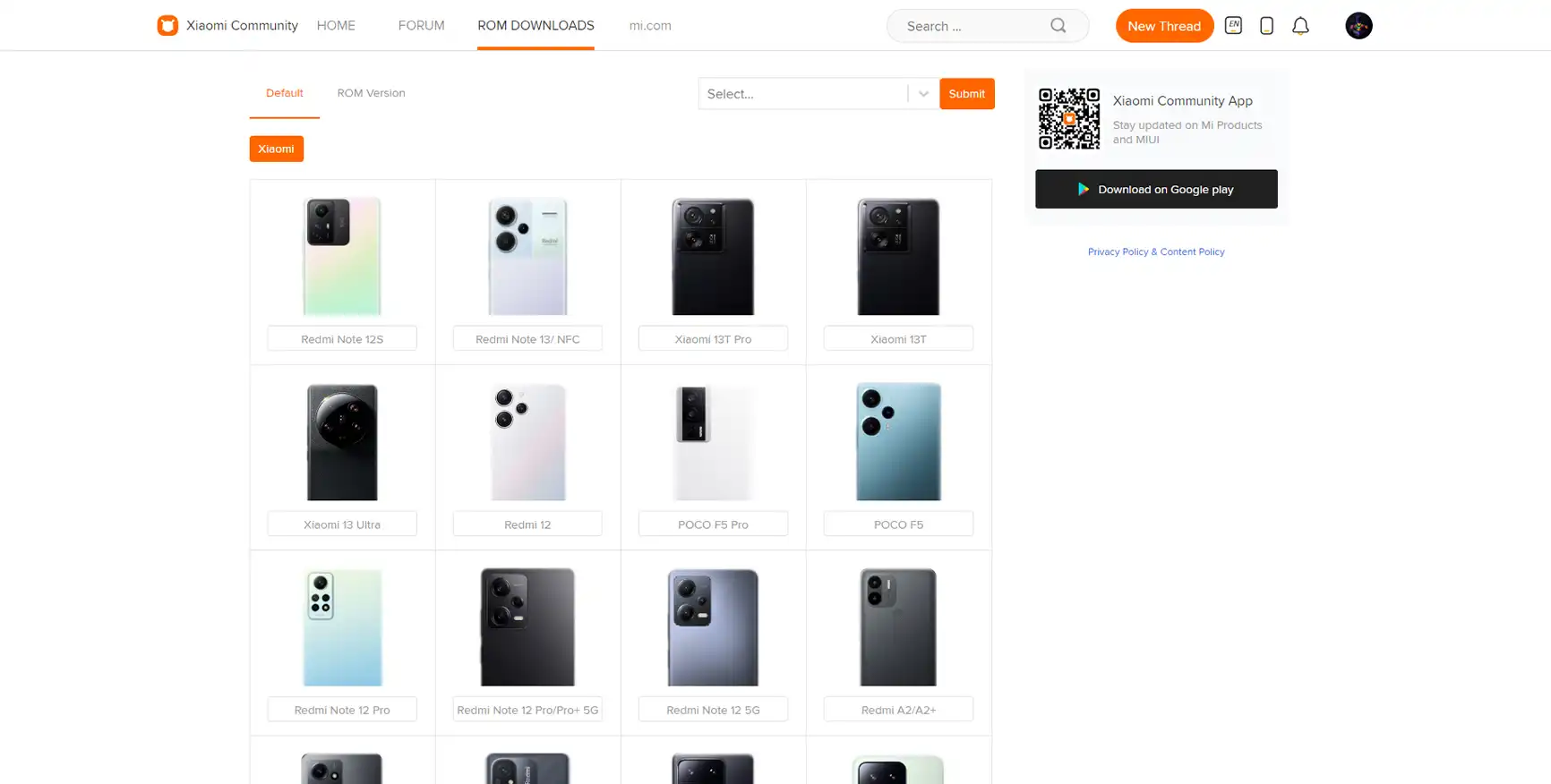
From Desktop site
- Go to new.c.mi.com/global.
- On the top navigation bar you will find the ROM DOWNLOADS tab. Click on it.
- Once you have entered the download section, either choose your device from the drop down menu or pick it from the devices list below.
- Under the Default tab, all the devices are listed by default where as in the ROM Version tab, you would find devices are categorized based on their OS version.
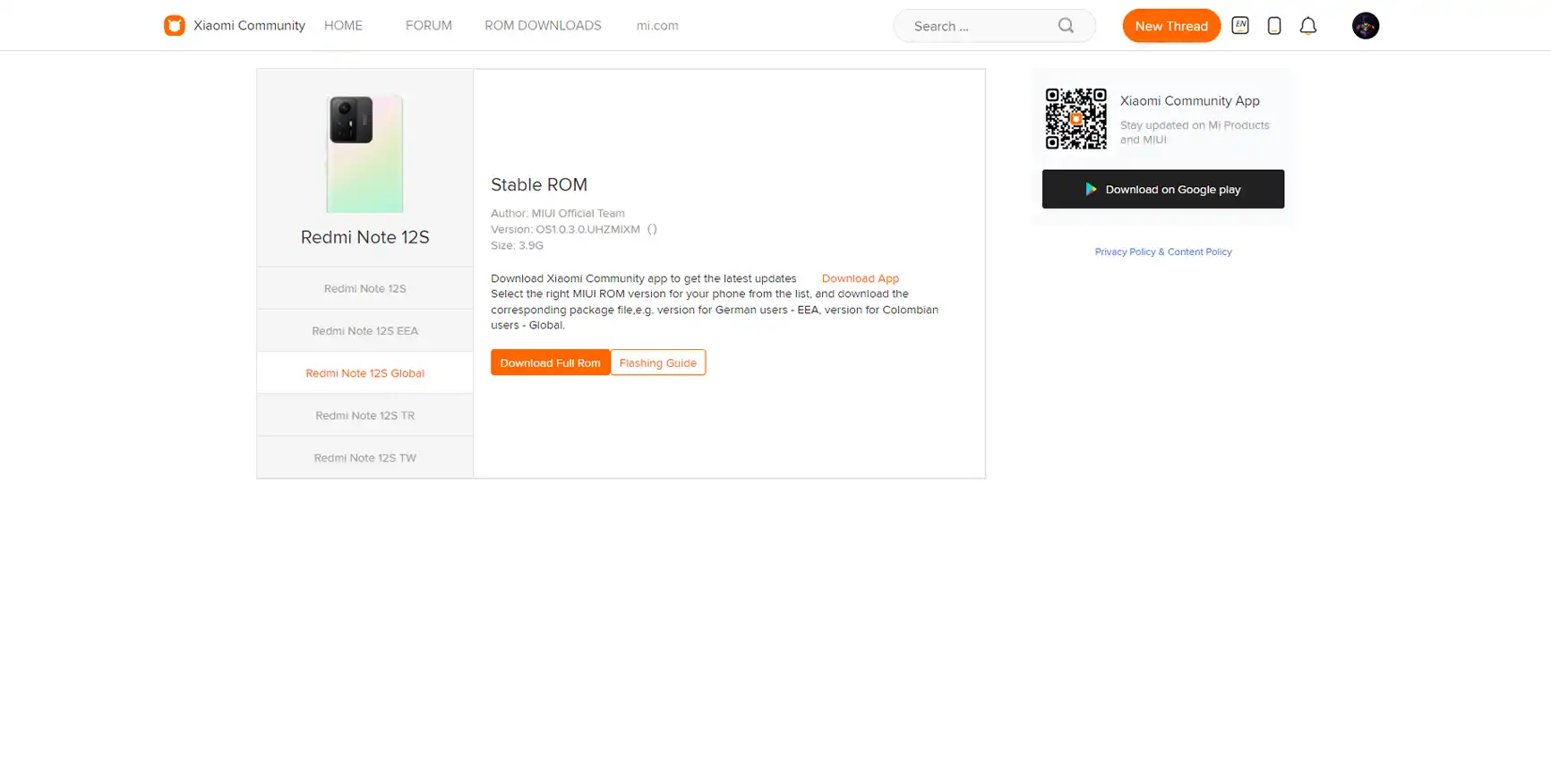
Here we have the links for you
Available on Mobile or Desktop view
Common questions and answers
This section answers common questions that may occur after reading this post.
1. Why the latest released model is not visible?
The latest released models will be visible only after the first OTA release.
2. Why the app portal does not have page for fastboot ROM downloads and guide?
Since PC is required for fastboot flashing, we would like you to use desktop portal in order to avoid confusion for new users.
There is still so much more we would like to do to make the ROM download portal even better. We would appreciate your constructive feedback in that direction so feel free to enlighten us below in the comments.
Last update: 02/01/2024
We are better together, Xiaomi Community

XiaomiFans20260929298520 óra ezelőtt
poco x7 pro
♥ 0
XiaomiFans2026100864762026. okt 8.
I have a Redmi 6A M1804C3CE, codename cactus, Global MIUI 10.3.2.0 OCBMIXM. The bootloader is unlocked and Play Protect says the device is not certified. I want the correct official Global Fastboot ROM flashed, then the bootloader safely relocked.
♥ 0
XiaomiFans2026092247962026. szept 22.
tengo un redmi note 10s y no puedo actualizarlo a androide 12 como pudiera hacerlo
♥ 0
XiaomiFans2026091338942026. szept 21.
нужна ос обновление а сейчас 14.0.6.0 андроид глобал на redmi 13 с
♥ 0
XiaomiFans2026062326702026. szept 1.
Redmi12 R
♥ 0
XiaomiFans2026062326702026. aug 22.
download
♥ 0
XiaomiFans2026081040662026. aug 15.
hello why my rom poco f7 thats not exist
♥ 0
Xmohammad20ir2026. aug 1.
ok
♥ 0
XiaomiFans2026072751742026. júl 30.
redmi note 9 pro
♥ 0
XiaomiFans202607253092026. júl 29.
Hello. I need help.
I bought a Redmi 14C a few days ago, but I have a serious problem:
1. Google Play Store shows “Device not certified“ — I can‘t use banking apps or M-Pesa properly.
2. I have already tried:
- Removing unverified Google accounts
- Clearing cache and data for Google Play Services and Play Store
- Checking for system updates (no update available)
- Trying to register via Google‘s uncertified device page
3. My phone‘s current info:
- Android version: 14
- Google Play system update: 1 July 2026
- No HyperOS system update available
4. I bought this phone in Kenya (from You Company).
Please help me. How can I fix the “Device not certified“ issue on my Redmi 14C? Do I need to take it to a Xiaomi service centre? Or is there a system update coming soon?
Thank you.
♥ 1